Table of Contents: (toc)
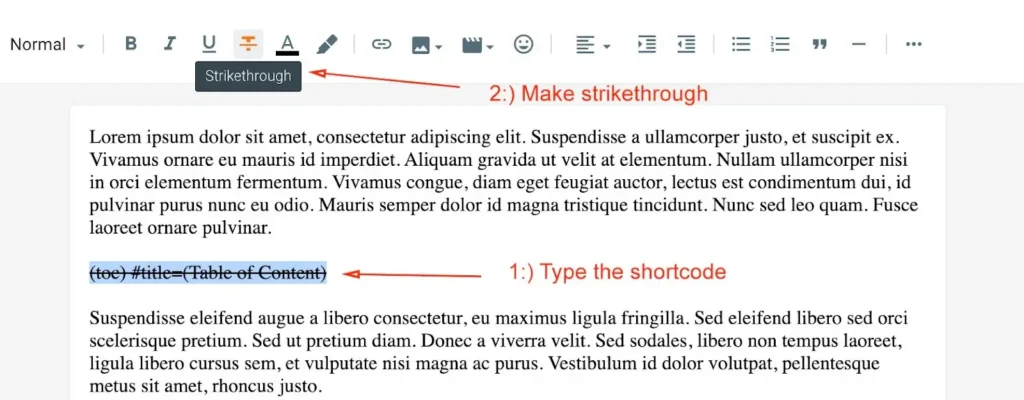
Go to Post/Page and type the shortcode (toc). After typing make it strike like below
Shortcode Example: (toc) #title=(Table of Content)
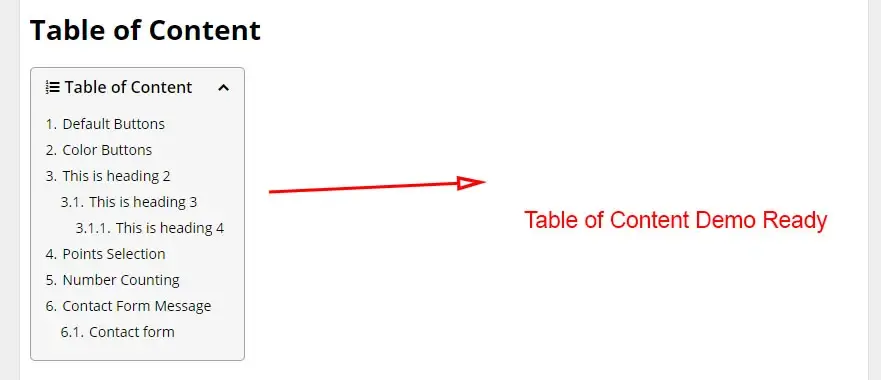
The plugin auto-generates TOC from your headings (H2–H4). To customize the title, use:
Great for reader navigation and SEO.
You can change and setup the title for “Table of Content” in your post.
By default (toc) display title automatically, while #title=(Table of Content) is an optional feature.
Note: This Shortcode only works if you have added H2, H3, H4 tags in your post.
Heading Tags
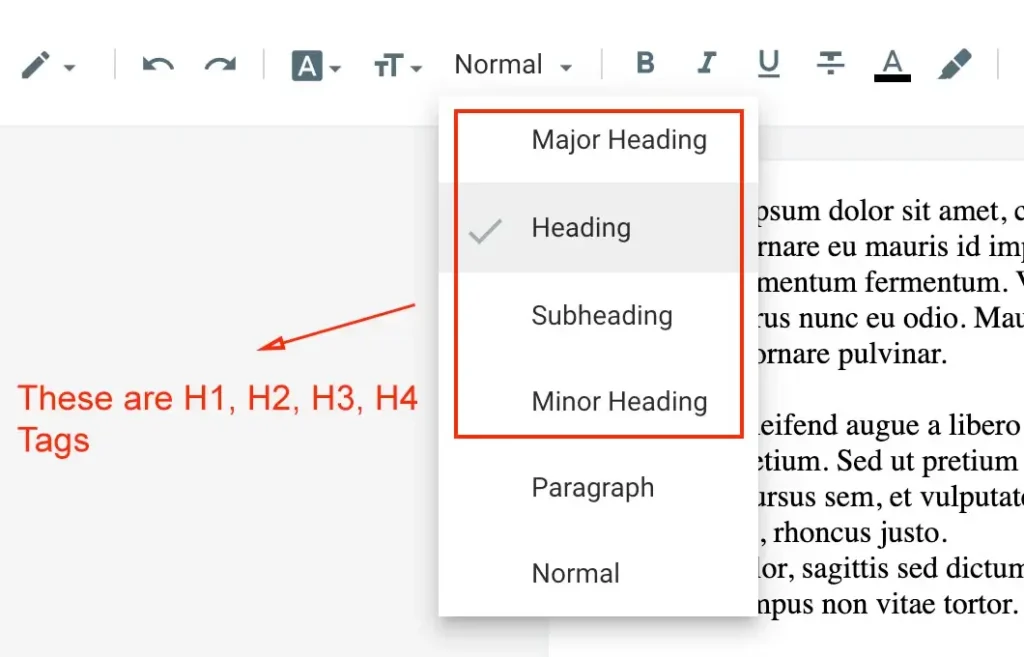
To setup H2, H3, H4 Tags follow the procedure
Example of H1, H2, H3, H4 Tags:
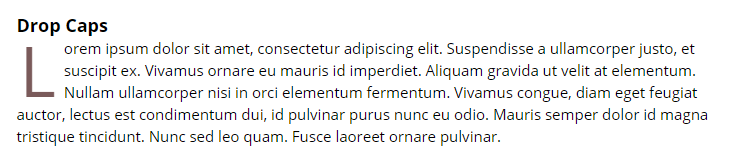
Adding Drop Caps: (caps)
Add classic typographic flair to your opening without fuss:
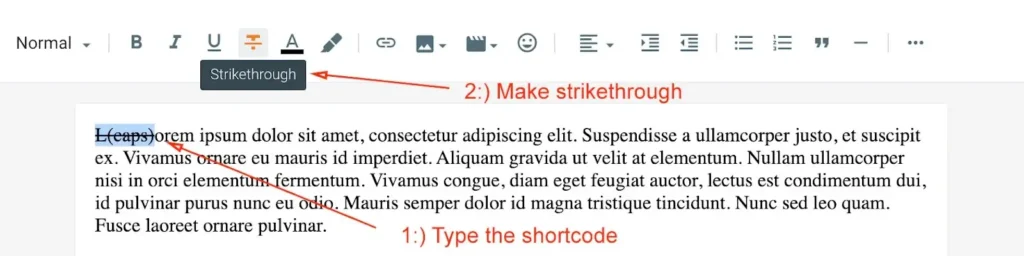
Go to Post/Page and type the shortcode select the word type (caps). After typing make it strike like below
Shortcode Example: L(caps)orem
This shortcode can be use in paragarph of the articles.
This wraps the first letter in a styled drop cap—all automated and elegant
Multiple Buttons
Craft standout buttons with inline shortcodes. While the exact syntax isn’t detailed, it’s designed for easy usage within posts/pages—no coding needed.
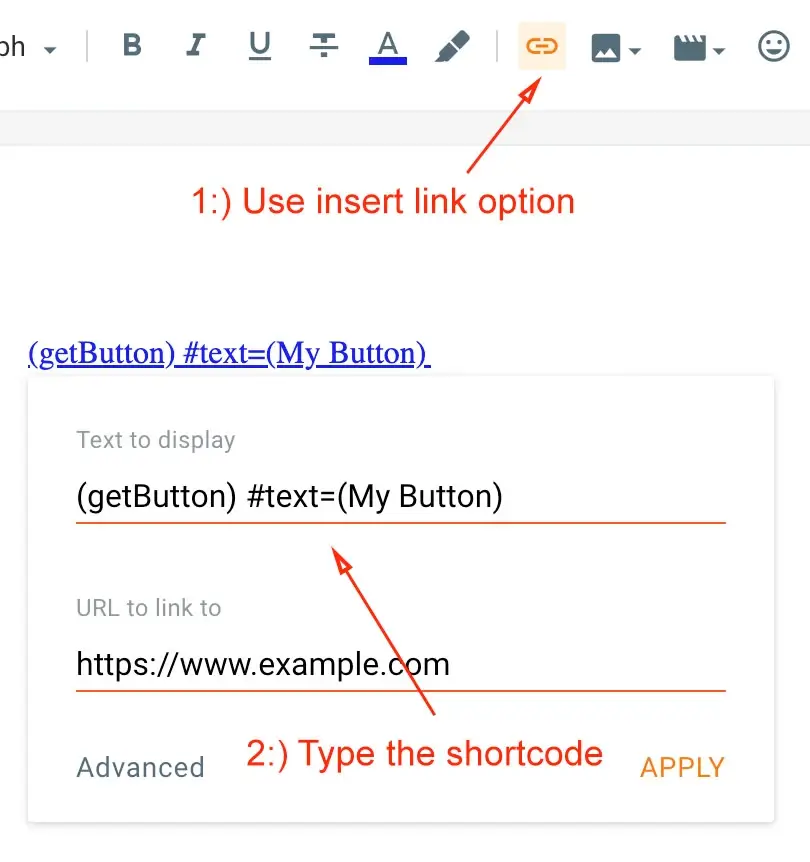
Go to Post/Page and use Multiple buttons in your posts easily with the help of shortcode.
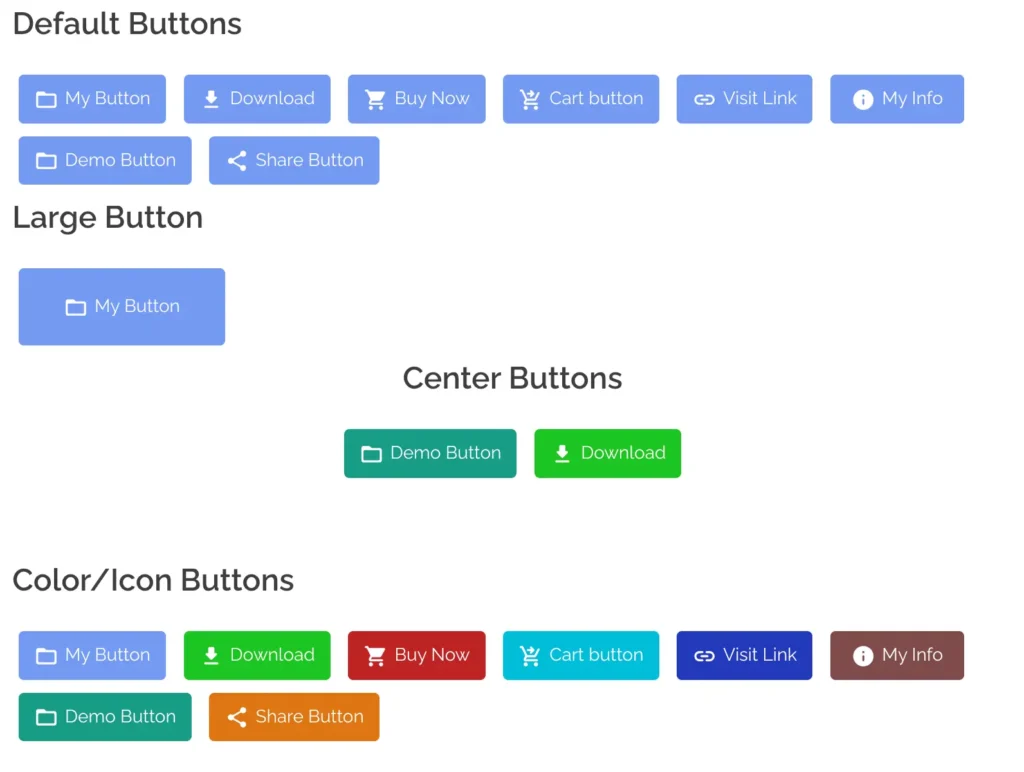
Default Button
Normal Button Shortcode Example:
Large Button Shortcode Example:
Customize Button text and link easily with help of this shortcode to utilize in blogger posts.
Note: To make buttons at center alignment Apply Top Post Editor “Alignment Center” tool bar to set buttons shortcode at center.
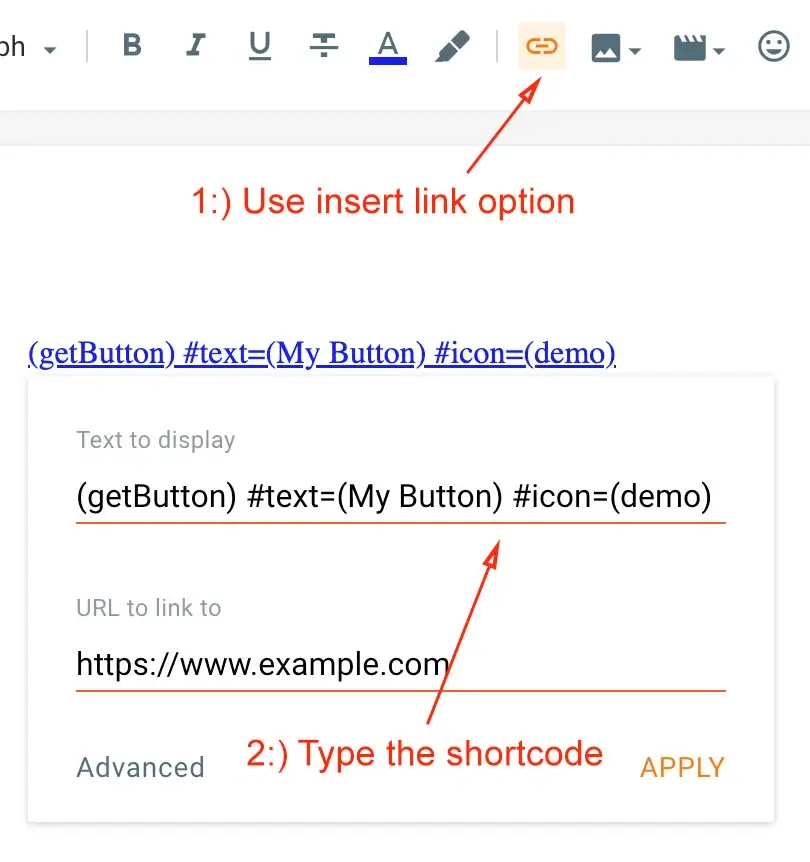
Icons Button
Supported Icons Shortcode:
Customize Button text, link along with icons easily with help of this shortcode, this blogger template supports multiple types of icons to utilize in blogger posts.
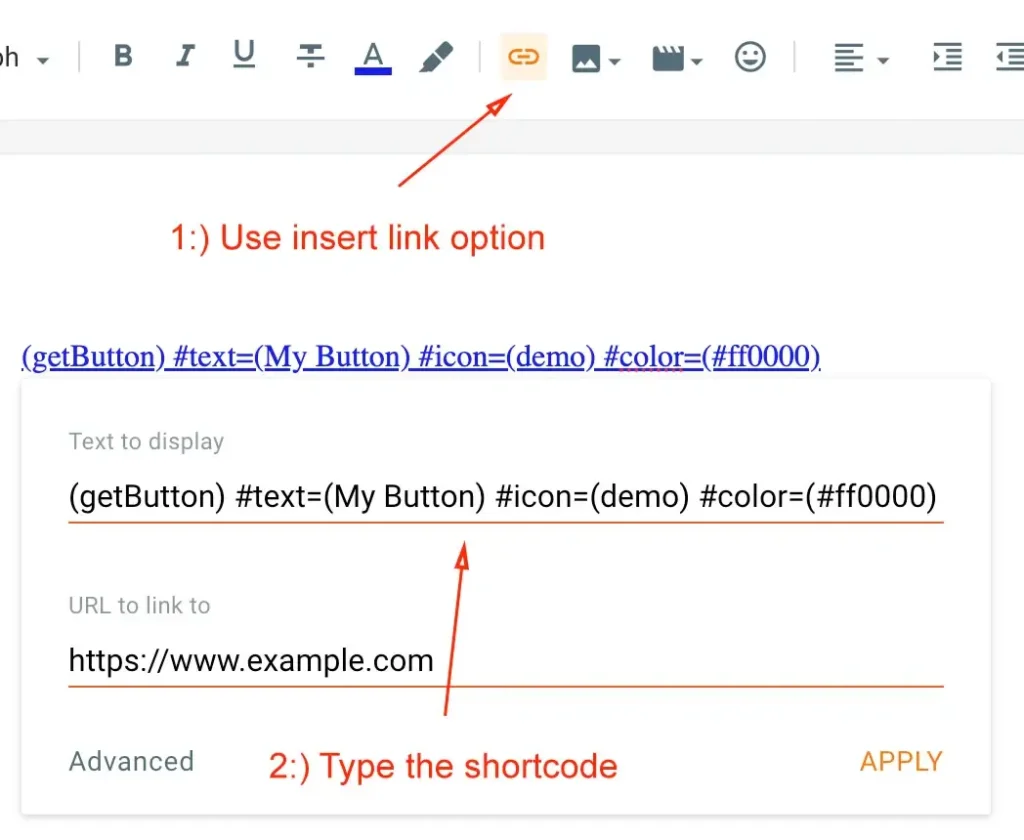
Color Button
Customize Button text, link, icon along with color easily with help of this shortcode, this blogger template supports custom color option buttons to utilize in blogger posts.
Note: To get colors code you can Visit here just click copy color code and use on your shortcode.
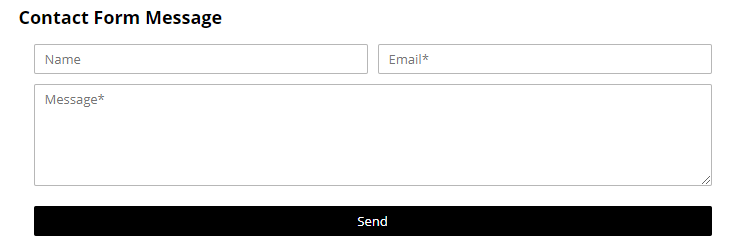
Contact Form: (contact-form)
Include a responsive contact form anywhere on your site:
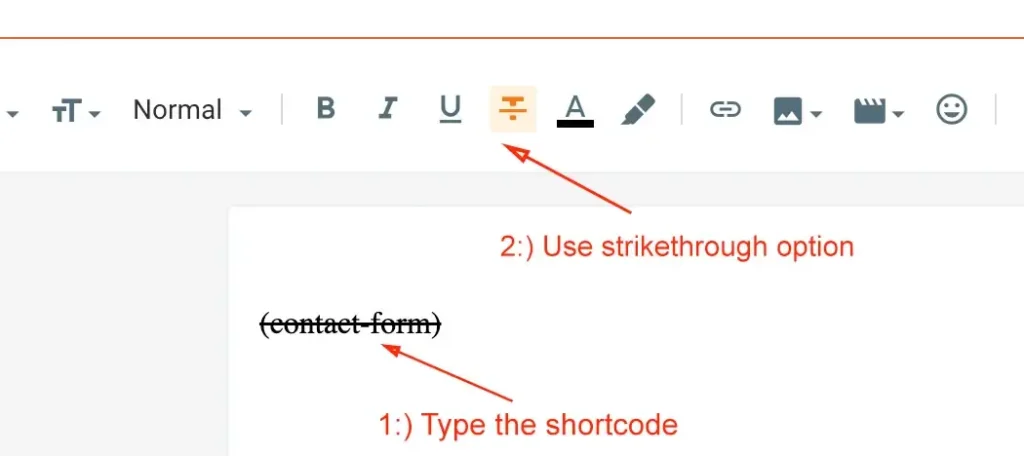
Go to Post/Page and type (contact-form) as shown below image. After typing make it strike like below
This shortcode can be used to create contact us form easily in Posts and Pages.
Perfect for generating leads or feedback-right where your users are
Layout Controls: Sidebar & Width Shortcodes
Fine-tune your page layout (sidebars, full-width elements) with intuitive codes:
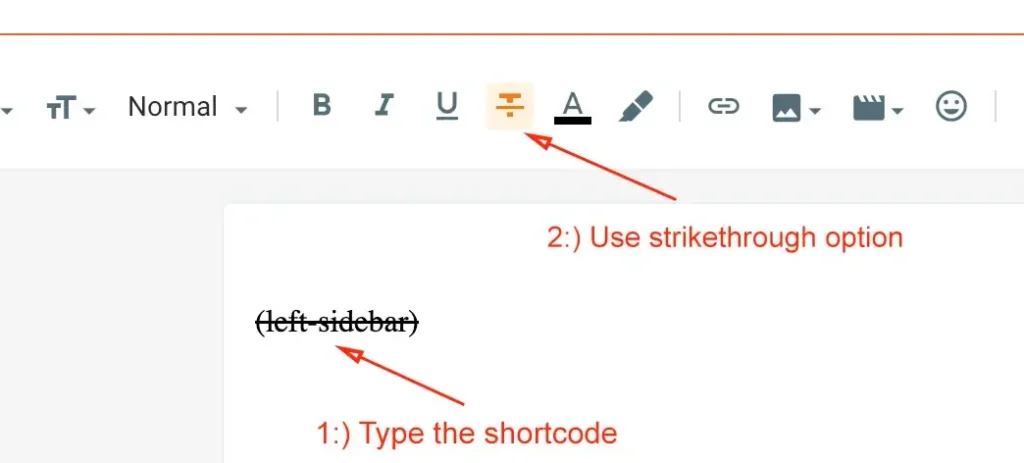
Go to Post/Page and use Post Shortcodes in your posts easily to adjust the sidebar alignments.
Left Sidebar
Customize the left sidebar easily with help of this shortcode to utilize in blogger website.
Right Sidebar
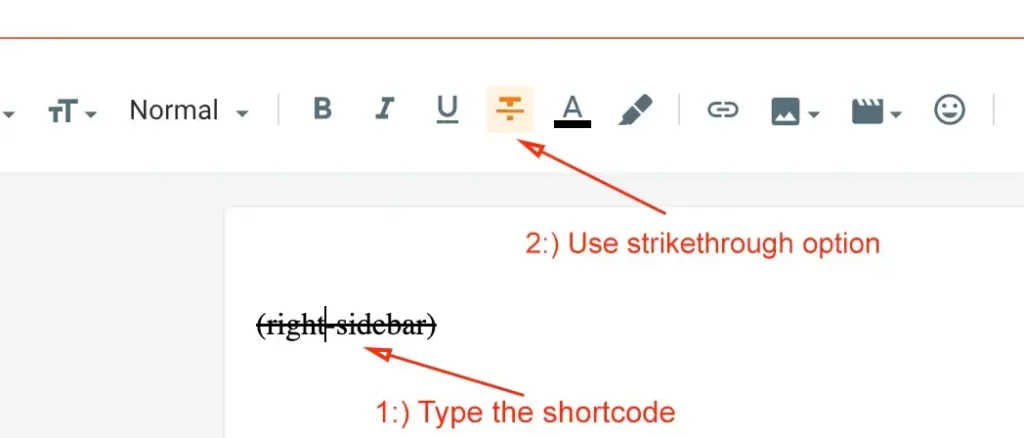
Customize the right sidebar easily with help of this shortcode to utilize in blogger website.
Full Width
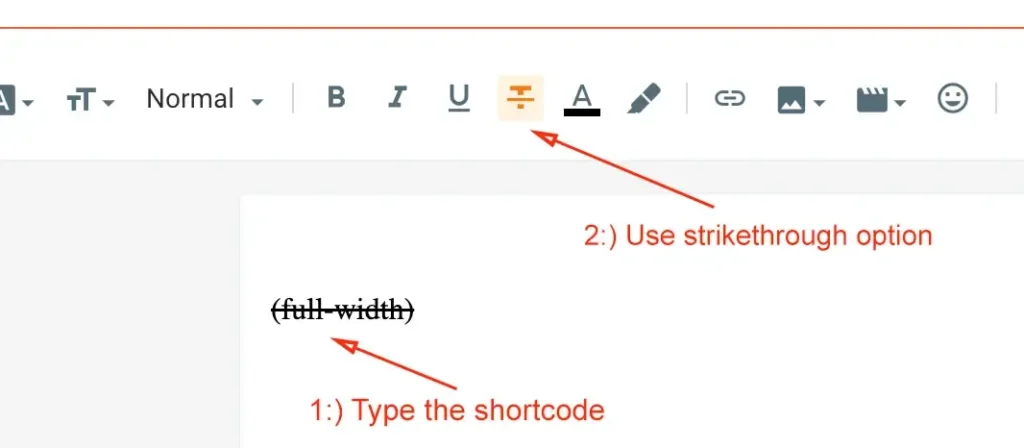
Customize the full-width easily with help of this shortcode to utilize in blogger website.